Customer support teams across industries are facing an unprecedented challenge: ever-increasing ticket volumes that strain resources, burn out agents, and compromise service quality.
Customer support teams across industries are facing an unprecedented challenge: ever-increasing ticket volumes that strain resources, burn out agents, and compromise service quality. The average business sees support requests grow by 25% year-over-year, while customer expectations for faster, more personalized support continue to rise.
High customer support workload doesn’t just drain your budget—it creates a cascade of problems that impact your entire business. From agent burnout and high turnover rates to delayed response times and declining customer satisfaction scores, excessive workload threatens both your team’s wellbeing and your company’s reputation.
But there’s good news. Forward-thinking companies are successfully reducing their support burden while improving customer experiences through strategic automation, better self-service options, and proactive support approaches. In this comprehensive guide, you’ll discover 10 proven strategies that can significantly reduce your customer support workload while enhancing customer satisfaction and reducing customer service costs.
Whether you’re managing a small support team or overseeing enterprise-level customer service operations, these actionable strategies will help you transform your support processes, optimize resource allocation, and create more efficient customer interactions.
Understanding the root causes of excessive support workload is essential for implementing effective solutions. Most businesses struggle with predictable patterns that drive unnecessary customer interactions and overwhelm support teams.
Poor user onboarding leading to confused customers who contact support repeatedly represents one of the most significant workload drivers. When customers don’t understand how to use your product or service effectively from the start, they generate multiple support tickets for basic functionality questions. These repetitive interactions could be prevented through better initial guidance and education.
Lack of self-service resources forcing customers to reach out for basic questions creates artificial demand for human support. Without accessible knowledge bases, FAQs, or troubleshooting guides, customers have no choice but to contact your support team for simple issues they could resolve independently. This forces support agents to handle routine tasks that don’t require human expertise.
Repetitive inquiries about common issues that could be prevented often indicate gaps in product design, documentation, or proactive communication. When multiple customers encounter the same problems repeatedly, it signals opportunities for systemic improvements rather than individual issue resolution.
Manual ticket routing causing delays and inefficient resource allocation wastes both agent time and customer patience. Without intelligent automation, tickets may sit in general queues, get assigned to the wrong specialists, or require multiple handoffs before reaching the right person to address customer needs.
Complex product interfaces that create user frustration and support requests drive unnecessary contact volume. When customers can’t intuitively navigate your product or complete basic tasks, they reach out for help that could be eliminated through better user experience design.

Reducing customer support workload isn’t just about making life easier for your support team—it’s a strategic business initiative that impacts your bottom line, customer loyalty, and long-term growth potential.
Lower operational costs by reducing the need for additional support staff provides immediate financial benefits. Every unnecessary support interaction costs money in agent time, infrastructure, and overhead. By addressing root causes of high workload, you can handle more customers with existing resources or avoid expensive hiring as your business grows.
Improved response times leading to higher customer satisfaction scores create a competitive advantage in today’s experience-driven marketplace. When agents aren’t overwhelmed with routine inquiries, they can respond faster to all customer requests and provide more thoughtful, personalized assistance. This directly translates to better customer satisfaction ratings and stronger customer relationships.
Prevention of support team burnout and improved employee retention protects your investment in training and development while maintaining service quality. High-performing support agents are valuable assets, and reducing their workload stress helps retain top talent while maintaining team morale and productivity.
Better resource allocation allowing agents to focus on complex, high-value issues maximizes the impact of your human resources. When routine questions are handled through self-service or automation, experienced agents can dedicate their expertise to solving challenging problems, managing escalations, and building stronger customer relationships.
Increased customer satisfaction through faster, more efficient support experiences builds customer loyalty and reduces churn. Customers appreciate quick resolutions and prefer companies that make it easy to get help when needed. This positive experience enhancing customer satisfaction translates into repeat business, positive reviews, and valuable word-of-mouth recommendations.
Research shows that companies implementing comprehensive workload reduction strategies typically see 30-60% reductions in routine support tickets while maintaining or improving customer satisfaction scores. These improvements compound over time, creating sustainable competitive advantages and operational efficiency gains.
Building robust self-service options represents one of the most effective ways to reduce customer support workload while empowering customers to resolve issues independently. When implemented correctly, comprehensive self-service resources can reduce incoming support volume by up to 30% while actually improving customer satisfaction.
Build a searchable knowledge base with step-by-step tutorials and FAQs that addresses the most common customer queries and pain points. Your knowledge base should be easily searchable, well-organized, and written in clear, customer-friendly language. Focus on creating detailed answers for frequently asked questions while providing visual aids and examples to enhance understanding.
Include video walkthroughs for complex processes and common troubleshooting steps to accommodate different learning preferences and make complex information more accessible. Video content often proves more effective than text for explaining multi-step processes, product demonstrations, and visual troubleshooting scenarios.
Organize content by customer journey stage and product feature categories to help customers find relevant information quickly. Structure your self-service options around how customers actually use your product, not how your internal teams think about it. This customer-centric organization reduces search time and increases successful self-resolution rates.
Update resources regularly based on trending support tickets and customer feedback to ensure your knowledge base stays current and addresses evolving customer needs. Monitor which articles are most accessed, where customers get stuck, and what new questions emerge to continuously improve your self-service effectiveness.
Make self-service options easily discoverable through prominent placement on your website and within your product interface. The best self-service content is useless if customers can’t find it easily. Place knowledge base links prominently on your homepage, include contextual help within your product, and promote self-service options in your customer communications.
Studies show that 80% of customers prefer using self-service portals for simple issues when the resources are comprehensive and easy to navigate. This preference creates a win-win situation: customers get immediate answers while your support team focuses on more complex customer inquiries that truly require human expertise.

AI in customer service has revolutionized how businesses handle routine customer interactions, with well-implemented chatbots reducing FAQ-related tickets by 40-60% while providing 24/7 availability. Intelligent chatbots serve as the first line of defense against simple queries while seamlessly escalating complex issues to human agents.
Deploy AI-powered chatbots to handle 70% of routine customer inquiries automatically by programming them to address the most common questions about billing, account access, order status, and basic troubleshooting. Modern customer service AI can understand natural language, maintain conversation context, and provide accurate responses that satisfy customer needs without human intervention.
Program bots to answer common questions about billing, account access, and basic troubleshooting while maintaining a conversational tone that reflects your brand voice. Focus on the queries that currently consume the most agent time but don’t require complex problem-solving or emotional support. This includes password resets, account balance inquiries, shipping status updates, and standard product information.
Set up seamless escalation paths to human agents when complex issues arise to ensure customers never feel trapped in an unhelpful bot loop. Smart ai agents should recognize when they’ve reached their capabilities and smoothly transfer conversations to human support with full context about the customer’s issue and previous interaction history.
Provide 24/7 support availability without increasing staffing costs by leveraging chatbots to handle off-hours inquiries that would otherwise wait until the next business day. This immediate responsiveness improves customer experiences while reducing the backlog that greets agents each morning.
Continuously train chatbots using historical support data and customer interactions to improve accuracy and expand their capabilities over time. Customer service ai systems learn from every interaction, becoming more effective at understanding customer intent and providing helpful responses.
Implementing ai in customer service through chatbots typically delivers ROI within six months while improving first response times from hours to seconds for routine inquiries. This technology transformation allows support teams to focus on high-value customer interactions that require human empathy, complex problem-solving, and relationship building.
Proactive onboarding represents one of the most cost-effective strategies for reducing long-term support workload. Companies with comprehensive onboarding programs report 20-50% fewer support tickets related to basic product usage and account setup, while also seeing higher customer retention and satisfaction rates.
Design personalized onboarding flows based on customer use cases and goals to address specific needs rather than providing generic product tours. Segment new customers by industry, role, or intended use case, then tailor the onboarding experience to highlight relevant features and workflows for their specific situation.
Include interactive product tours highlighting key features and common workflows that guide customers through real-world scenarios they’ll encounter. Rather than overwhelming new users with every feature, focus on the core functionality they need to achieve their initial goals successfully. This targeted approach reduces confusion and builds confidence in product usage.
Provide contextual tips and guidance during the first 30 days of product usage through in-app messaging, email sequences, and progressive disclosure of advanced features. The first month is critical for establishing positive usage patterns and preventing common mistakes that generate support tickets later.
Send proactive check-in emails with helpful resources and best practices to address questions before they become problems. These communications should provide additional value through tips, use cases, and success stories rather than simply promoting features. Well-timed educational content prevents many common support inquiries.
Track onboarding completion rates and iterate based on user behavior data to continuously improve the effectiveness of your onboarding program. Monitor where users get stuck, what steps they skip, and which resources prove most valuable. Use this customer data to refine the experience and address pain points proactively.
Effective onboarding transforms new customers from potential support burdens into confident, self-sufficient users who are more likely to find value in your product and become loyal customers. This investment in early customer success pays dividends through reduced support costs and improved customer lifetime value.
Shifting from reactive to proactive support fundamentally changes the support dynamic, preventing issues before they become customer service interactions. Companies implementing proactive support strategies often see 25-40% reductions in certain types of support tickets while significantly improving customer satisfaction and loyalty.
Monitor product usage patterns to identify users struggling with specific features through analytics and behavioral tracking. When customers repeatedly attempt the same action without success or abandon certain workflows, proactive outreach can provide guidance before frustration leads to a support ticket or customer churn.
Send targeted in-app messages offering help when users encounter common pain points at the moment they’re most likely to need assistance. These contextual interventions feel helpful rather than intrusive because they’re precisely timed to customer needs and delivered through the product interface.
Reach out proactively to customers experiencing service disruptions or bugs with updates, workarounds, and realistic timelines for resolution. This transparent communication prevents multiple inquiries about the same issue while demonstrating your commitment to customer satisfaction and service quality.
Create automated email sequences addressing frequent post-purchase questions that arrive predictably after customer onboarding or major product updates. By anticipating these questions and providing answers proactively, you can offer proactive support that reduces inquiry volume while improving customer experiences.
Use predictive analytics to identify customers at risk of churning and intervene early with targeted assistance, additional resources, or account review calls. These proactive interventions often prevent cancellations while addressing underlying issues that might otherwise generate multiple support interactions.
Proactive support demonstrates that you value customer success over simply resolving problems after they occur. This approach transforms customer service from a cost center into a strategic advantage that builds stronger relationships and reduces long-term support burden through prevention rather than reaction.
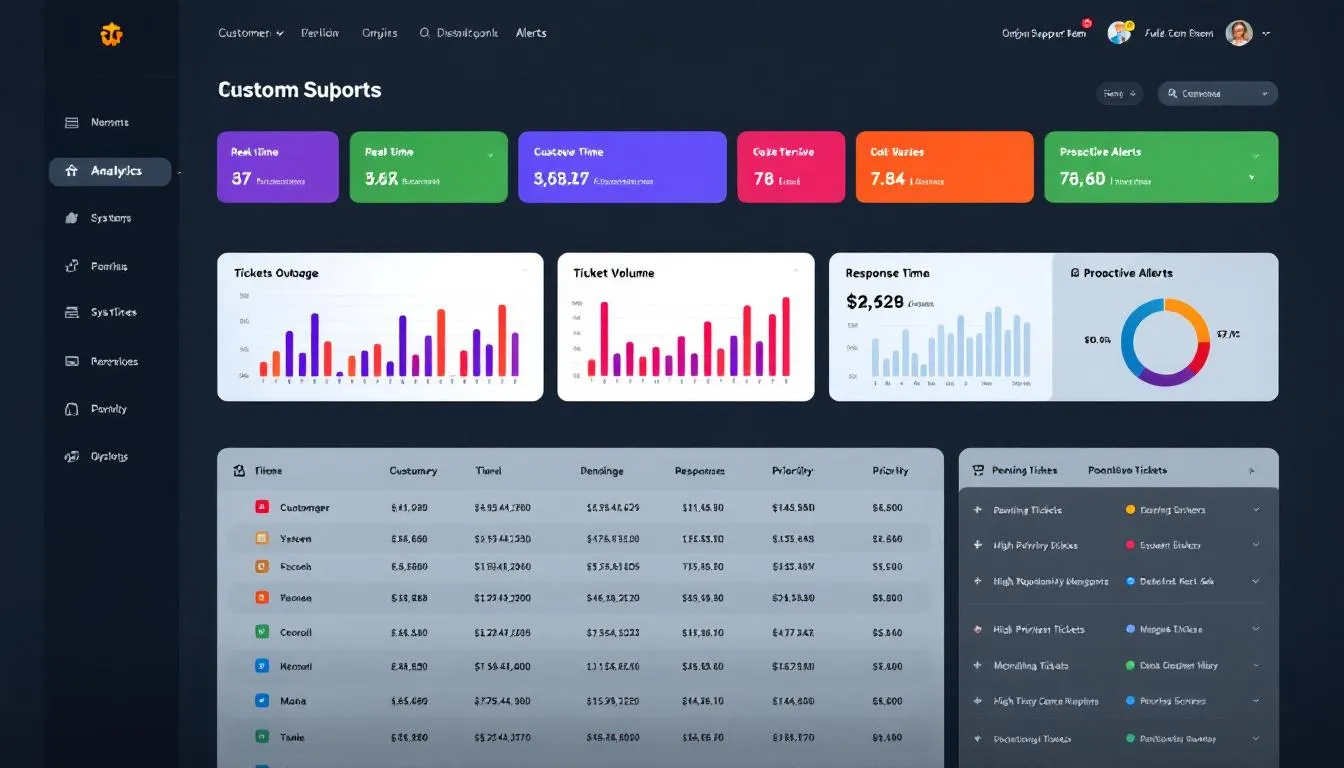
Intelligent ticket routing and prioritization systems eliminate the inefficiencies of manual assignment while ensuring customer requests reach the right specialist quickly. These ai systems can reduce average resolution times by 30-50% while improving first-contact resolution rates and agent satisfaction.
Use AI-powered systems to automatically categorize and route tickets to specialized agents based on content analysis, customer history, and issue complexity. Modern routing algorithms can analyze ticket content, identify key themes and urgency indicators, then route inquiries to agents with the right skills and availability to resolve them efficiently.
Set up priority levels based on customer tier, issue urgency, and business impact to ensure high-value customers and critical issues receive appropriate attention. This systematic approach to prioritization prevents important issues from getting lost in general queues while maintaining fair service for all customers.
Create dedicated queues for different support channels (email, chat, phone, social media) with channel-specific routing rules and response time targets. Each customer communication channel has different expectations and optimal handling approaches, and specialized routing ensures customers receive appropriate service regardless of how they choose to reach out.
Establish SLA targets and automatic escalation triggers for high-priority issues to prevent service failures and maintain consistent quality standards. Automated escalation ensures that urgent issues don’t fall through cracks due to agent oversight or heavy workload periods.
Track routing accuracy and agent specialization effectiveness through analytics to continuously optimize assignment algorithms and identify training needs. Regular analysis of routing effectiveness helps refine the system while identifying opportunities to improve agent skills and workflow efficiency.
Smart routing systems also provide valuable customer data insights about inquiry patterns, agent performance, and resource allocation needs. This intelligence helps support teams make data-driven decisions about staffing, training, and process improvements that further reduce overall workload.
Customer communities harness the collective knowledge of your user base to provide scalable support that grows stronger as your customer base expands. Well-managed communities can handle 15-25% of support inquiries through peer-to-peer assistance while building stronger customer relationships and brand loyalty.
Create moderated forums where customers can ask questions and share solutions in a structured environment that encourages helpful participation. Organize forums by product area, use case, or skill level to help customers find relevant discussions and connect with peers facing similar challenges.
Encourage power users to become community moderators and brand advocates by recognizing their contributions and providing exclusive access to new features or company updates. These engaged customers often provide better, more detailed answers than standard support responses because they understand real-world usage scenarios and common workarounds.
Implement gamification with badges and points to incentivize helpful participation while making community engagement enjoyable and rewarding. Recognition systems motivate users to share knowledge while creating visible indicators of expertise that help other customers identify reliable sources of information.
Monitor community discussions to identify common issues and knowledge gaps that require official responses or documentation updates. Community conversations provide valuable insights into customer pain points, feature requests, and areas where your self-service resources need improvement.
Feature successful community solutions in your knowledge base and documentation to amplify the impact of peer-generated content while giving credit to helpful community members. This integration between community wisdom and official documentation creates a comprehensive support ecosystem.
Customer communities also serve as valuable feedback channels for product development, feature requests, and business insights. The ongoing customer conversations provide continuous market research while reducing the burden on your formal support channels.
Systematic collection and analysis of customer feedback creates a continuous improvement cycle that addresses root causes of support volume while improving overall customer experiences. Companies that actively analyze customer sentiment and implement feedback-driven changes see sustained reductions in support workload over time.
Send post-interaction surveys to measure satisfaction and identify improvement areas immediately after support interactions while the experience is fresh in customers’ minds. Short, targeted surveys with specific questions about resolution quality, agent helpfulness, and overall satisfaction provide actionable insights for improvement.
Analyze negative feedback patterns to address root causes of support requests rather than simply resolving individual issues. When multiple customers complain about the same confusing interface element or missing feature, addressing the underlying cause prevents future support tickets more effectively than handling each complaint individually.
Use customer sentiment analysis to prioritize product fixes and feature requests based on actual customer impact rather than internal assumptions. Natural language processing tools can analyze feedback sentiment across multiple channels to identify the issues that matter most to your customers.
Create feedback loops between support, product, and engineering teams to ensure customer insights drive meaningful improvements in product design, documentation, and user experience. Regular cross-functional meetings focused on customer feedback help align organizational efforts around reducing support-generating friction.
Publish quarterly reports showing how customer feedback drives product improvements to demonstrate your commitment to customer-driven development while encouraging continued participation in feedback programs. Transparency about how feedback influences decisions builds trust and increases future response rates.
Effective feedback analysis also helps identify trends in customer behavior, emerging use cases, and changing expectations that can inform proactive improvements across your entire customer journey.

Automation of routine tasks allows support teams to focus their human expertise where it matters most while handling predictable inquiries instantly. Strategic automation can reduce agent workload by 30-50% for routine tasks while improving response consistency and accuracy.
Set up automated responses for common inquiries like password resets and account status using workflow automation that can access customer data and perform actions without human intervention. These automations should handle the entire process from inquiry to resolution, including confirmation that the issue has been addressed.
Create templates and macros for frequently used responses to speed up agent workflows while maintaining consistency in communication tone and information accuracy. Pre-written responses for common scenarios help agents respond faster while ensuring all customers receive complete, accurate information.
Implement automatic ticket tagging and categorization based on keywords and content to streamline organization and reporting without requiring manual agent effort. Intelligent tagging systems can identify issue types, urgency levels, and required skills automatically, supporting better analytics and resource allocation.
Use workflow automation to handle simple requests like subscription changes that require system updates but not complex problem-solving or customer consultation. These automations can process routine requests instantly while sending confirmation to customers and updating internal systems.
Deploy auto-follow-up messages to check if customer issues have been resolved after appropriate time intervals, ensuring no issues fall through cracks while demonstrating ongoing care for customer satisfaction. Automated follow-up also helps identify cases where additional support may be needed.
Effective automation requires careful balance between efficiency gains and maintaining personal connection with customers. The goal is to automate routine tasks so human agents can focus on complex issues that benefit from empathy, creativity, and advanced problem-solving skills.
Using support data to drive product improvements creates a virtuous cycle where better design reduces future support needs while improving overall user experience. This data-driven approach to product development can reduce feature-related support tickets by 40-60% while increasing customer satisfaction with product usability.
Analyze support ticket trends to identify confusing UI elements and workflows that consistently generate customer questions or complaints. Heat mapping of support issues across product features reveals design pain points that may not be obvious through traditional user testing but become clear through real-world usage patterns.
Collaborate with product teams to simplify complex features causing frequent questions by redesigning interfaces, improving information architecture, or breaking complex processes into simpler steps. Cross-functional collaboration ensures that support insights directly influence product design decisions.
Add contextual help and tooltips directly within your product interface to provide guidance at the moment customers need it most. In-app assistance reduces the cognitive load of remembering instructions while preventing users from leaving your product to search for help elsewhere.
Test new features with beta users to catch usability issues before general release through structured feedback programs that specifically focus on potential support-generating friction. Beta testing with support-focused criteria helps identify problems while they’re still easy and inexpensive to fix.
Create in-app guidance for new feature launches to reduce post-launch support volume through progressive disclosure, guided tours, and contextual tips that help users understand new functionality without overwhelming them with information.
Product improvements driven by support data create compound benefits: better user experience reduces support needs, which frees agents to focus on higher-value interactions, which improves overall customer satisfaction and creates positive feedback loops for business growth.
Optimizing support across multiple channels meets customers where they prefer to communicate while distributing workload efficiently across different interaction types. Well-orchestrated multi-channel support can improve customer satisfaction by 25-35% while reducing response times and agent stress.
Offer support across preferred customer channels (email, chat, phone, social media) while maintaining consistent service quality and information accuracy across all touchpoints. Different customers prefer different communication methods, and offering choice improves accessibility while accommodating various communication styles and urgency levels.
Use unified dashboards to track customer interactions across all touchpoints to provide agents with complete context regardless of which channel customers use. Integrated systems prevent customers from repeating information when switching channels while helping agents provide more personalized, efficient assistance.
Set up channel-specific response time expectations and routing rules that reflect the natural characteristics of each communication method. Chat customers expect immediate responses, email allows for more thoughtful responses, while phone support requires real-time problem-solving capabilities.
Provide consistent information and branding across all support channels to maintain professional image and prevent customer confusion. Standardized knowledge bases, response templates, and training ensure customers receive accurate information regardless of which channel they choose.
Enable customers to switch channels mid-conversation without losing context through integrated systems that maintain conversation history and issue status across platforms. This flexibility prevents customer frustration when initial channel choice proves suboptimal for their specific need.
Multi-channel optimization also provides valuable analytics about customer preferences, channel effectiveness, and resource allocation opportunities that inform strategic decisions about support investments and improvements.
Selecting the right technology stack is crucial for implementing effective workload reduction strategies. Modern customer service solutions offer integrated capabilities that streamline support processes while providing the analytics needed for continuous improvement.
Zendesk: Comprehensive ticketing system with AI-powered routing and automation provides enterprise-level capabilities for organizations managing high ticket volumes. The platform offers intelligent routing, automated workflows, and extensive integration capabilities that support complex support operations while maintaining ease of use.
Freshdesk: Multi-channel support with built-in chatbots and knowledge management delivers integrated solutions for businesses seeking all-in-one functionality. The platform combines ticket management, knowledge base hosting, and automation tools in a user-friendly interface suitable for growing support teams.
Intercom: Conversational support platform with proactive messaging capabilities specializes in customer communication and engagement through chat, email, and in-app messaging. The platform excels at proactive support and customer relationship management while providing robust automation features.
LiveAgent: All-in-one help desk with real-time chat and call center integration offers comprehensive communication capabilities including phone, chat, email, and social media support in a unified interface. This integration streamlines agent workflows while providing complete customer interaction history.
Notion: Flexible documentation platform for creating comprehensive help centers provides powerful content creation and organization capabilities for teams preferring customizable knowledge management solutions. The platform supports multimedia content, collaborative editing, and flexible organization structures.
Helpjuice: Dedicated knowledge base software with advanced analytics specializes in self-service content creation with detailed insights into customer usage patterns, search behavior, and content effectiveness. The platform offers robust customization options and integration capabilities.
Guru: AI-powered knowledge management with verification workflows uses artificial intelligence to suggest content updates, identify knowledge gaps, and maintain accuracy through collaborative verification processes. The platform excels at keeping information current and accessible.
Document360: Self-service knowledge base with detailed usage analytics provides comprehensive analytics about customer self-service behavior, popular content, and search patterns. These insights help optimize knowledge base effectiveness while identifying areas for improvement.
Chatfuel: No-code chatbot builder for Facebook Messenger and website chat enables rapid deployment of conversational ai without technical expertise. The platform supports complex conversation flows while integrating with existing customer service systems.
Drift: Conversational marketing platform with intelligent routing capabilities combines lead generation with customer support through intelligent chat routing that connects customers with appropriate resources based on their needs and characteristics.
Ada: AI-powered customer service automation with natural language processing provides sophisticated conversational ai that can handle complex customer inquiries while learning from interactions to improve over time. The platform offers extensive customization and integration options.
Tidio: Live chat with AI chatbot integration for small to medium businesses offers affordable automation solutions that combine human and artificial intelligence seamlessly. The platform provides easy setup and management for teams with limited technical resources.

Effective measurement is essential for understanding the impact of workload reduction initiatives and identifying opportunities for further improvement. These metrics provide objective data to guide decision-making and demonstrate ROI of support optimization investments.
First contact resolution rate: Percentage of issues resolved in initial interaction measures the effectiveness of agent knowledge, tools, and processes. Higher first-contact resolution reduces customer effort while minimizing repeat interactions that increase overall workload. Target rates typically range from 70-85% depending on industry and issue complexity.
Average response time: How quickly your team responds to customer inquiries directly impacts customer satisfaction and can influence workload by preventing issues from escalating due to delays. Track response times across different channels and issue types to identify optimization opportunities and resource allocation needs.
Self-service usage rate: Percentage of customers using knowledge base before contacting support indicates the effectiveness of self-service resources and their discoverability. Increasing self-service adoption directly reduces support ticket volume while empowering customers to resolve issues independently.
Customer satisfaction (CSAT) scores: Direct feedback on support experience quality provides essential insight into whether workload reduction efforts are maintaining or improving service quality. CSAT should remain stable or improve as workload decreases, indicating that efficiency gains aren’t compromising customer experiences.
Ticket volume trends: Monthly comparison of support request quantities and types reveals patterns in customer behavior, seasonal variations, and the impact of product changes or marketing initiatives. Analyze trends by category to identify specific areas where workload reduction strategies are most effective.
Agent productivity metrics: Tickets resolved per agent per day and quality scores help balance efficiency gains with service quality maintenance. Monitor both quantity and quality metrics to ensure that faster resolution doesn’t compromise customer satisfaction or create additional problems requiring follow-up support.
Regular analysis of these metrics enables data-driven optimization of support processes while ensuring that workload reduction efforts achieve their intended goals of improving efficiency without sacrificing customer experience quality.
Metric
Target Range
Measurement Frequency
Primary Benefit
First Contact Resolution
70-85%
Weekly
Reduces repeat contacts
Average Response Time
<2 hours email, <1 min chat
Daily
Improves customer satisfaction
Self-Service Usage
40-60%
Monthly
Decreases ticket volume
CSAT Score
>4.0/5.0
Per interaction
Maintains quality standards
Ticket Volume Trend
10-30% reduction annually
Monthly
Demonstrates workload improvement
Agent Productivity
15-25 tickets/day
Weekly
Optimizes resource allocation
Creating a comprehensive measurement framework helps support teams track progress, identify successful strategies, and make data-driven adjustments to their workload reduction initiatives. Regular reporting on these metrics also demonstrates the business value of support optimization investments to stakeholders across the organization.
Successful workload reduction requires commitment to continuous improvement, strategic use of technology, and focus on both customer satisfaction and operational efficiency. By implementing these proven strategies and measuring their impact systematically, support teams can create sustainable improvements that benefit customers, agents, and the business overall.
The most effective approach combines multiple strategies tailored to your specific customer needs, product complexity, and organizational capabilities. Start with the initiatives that address your biggest pain points, measure results carefully, and expand successful programs while adjusting or replacing less effective approaches.
Remember that reducing customer support workload is not about cutting corners or providing less service—it’s about working smarter to deliver better customer experiences more efficiently while creating more satisfying work environments for support teams. This strategic approach to support optimization creates competitive advantages that compound over time, driving customer loyalty, operational efficiency, and business growth.